Markdown editor for Android

Your Markdown files.
Calm, quick, and kept safe.

SS Markdown opens your own .md files where they live, stays smooth on big ones, and doesn't lose your work. Free and open source, offline, with no ads, no account and no subscription.
Coming soon to Google Play View the source on GitHub
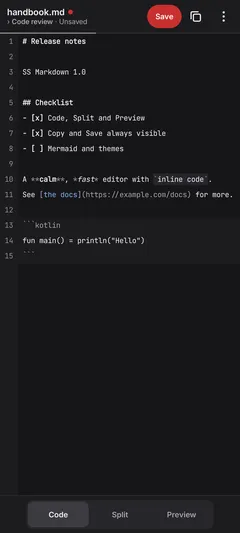
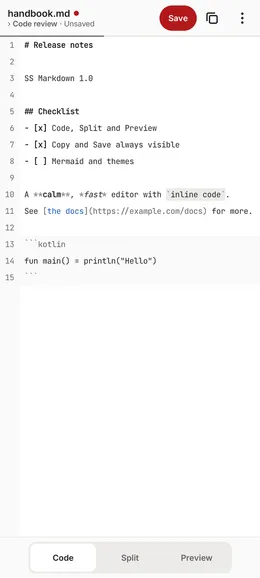
SS Markdown's Code view in the light theme, with unsaved edits
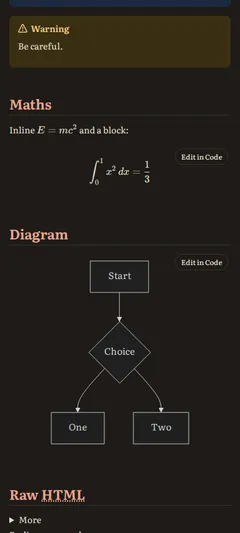
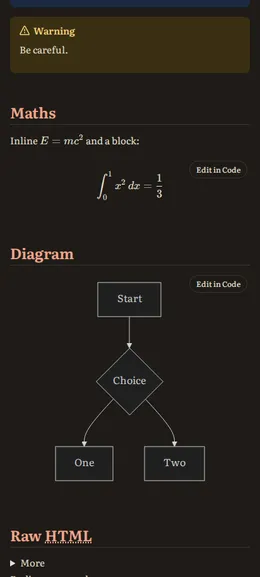
SS Markdown's Preview in the dark Reader theme, with maths and a Mermaid diagram

Why SS Markdown

Big files feel like small ones.

Your text lives in a piece tree, the same kind of structure VS Code uses. Typing never shuffles megabytes of text around, and only what's on screen is drawn.

You don't lose work.

A checksummed recovery journal, verified saves, and version history stored as snapshots plus diffs. If another app changes your file, nothing is overwritten without asking.

Calm by design.

Two bars. Copy and Save are always visible, and everything else appears only when it applies.

Edit the way you think.

Switch between Code, Split and Preview, and type straight into the formatted view, tables included, without your hand-written Markdown being reformatted.

Plain files, your files.

Open and save .md files in place from any app, or work across a whole folder. Nothing is locked inside the app.

Everything it does

  • Code / Split / Preview with position kept in sync, plus a pinch zoom that reflows the text.
  • GitHub-flavoured Markdown, footnotes, alerts, front matter, KaTeX maths and Mermaid diagrams (long-press to save as PNG or SVG).
  • Tap-to-edit in Preview and a proper table editor.
  • Navigator: an outline, a quick switcher and drafts, opened by tapping the title.
  • Version history with compare, restore and pinning; recovery after a crash.
  • Folder mode with Save all, and share text in from any app: your recent files appear in Android's share sheet.
  • Copy as Markdown or as formatted text, the whole page or just a selection.
  • Light and dark themes following the system, built-in preview themes, custom themes and Google Fonts.
  • Export to PDF with proper print typography (A4 or Letter).

Screenshots

Light and dark, as the app draws them.

Editor

Two bars at rest. Unsaved is a red dot, the word "Unsaved" and a red Save.
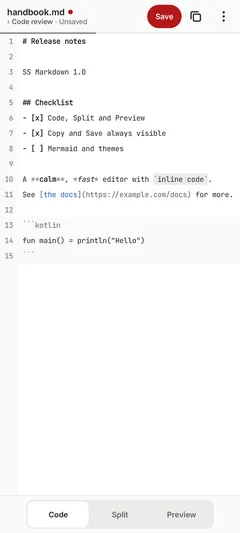
Code view with unsaved edits, light theme
Code view with unsaved edits, dark theme

Preview

The real page render in the Clean and Reader themes, with maths and Mermaid.
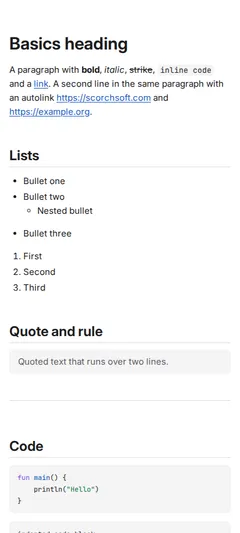
Preview, with a formula and a diagram, light theme
Preview, with a formula and a diagram, dark theme

Navigator

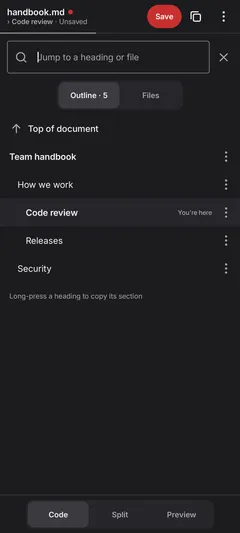
Tap the title: outline, files and drafts, with "You're here".
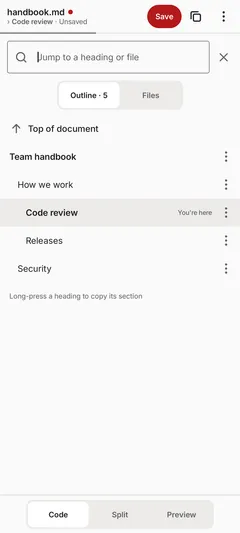
Navigator outline, light theme
Navigator outline, dark theme

Another app changed the file

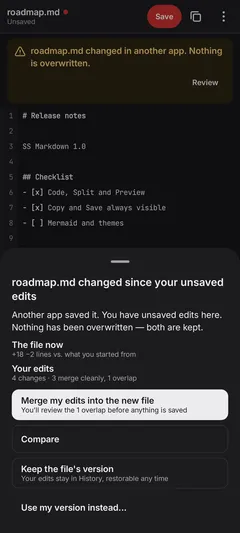
Nothing is overwritten. Merge, compare or keep either version.
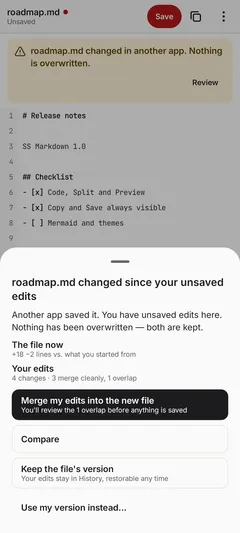
Conflict sheet, light theme
Conflict sheet, dark theme

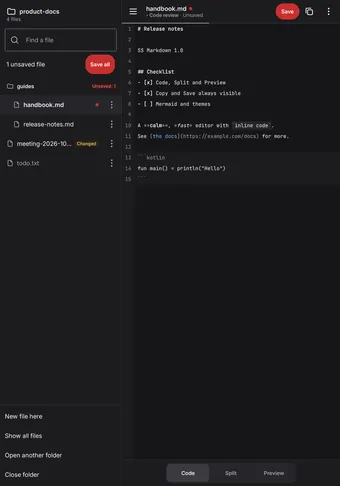
Tablet

The folder panel docked, with Save all and per-file state.
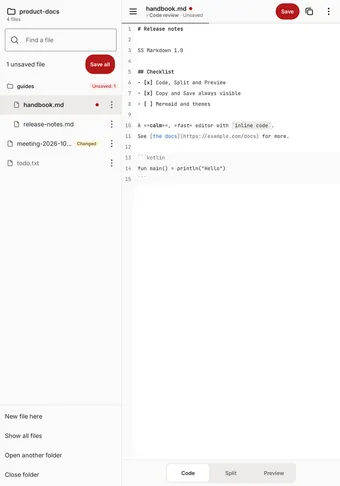
Tablet layout with the folder panel docked, light theme
Tablet layout with the folder panel docked, dark theme

What it isn't

  • No sync, by design. Use Syncthing, Drive or Dropbox on the files; SS Markdown keeps their changes safe.
  • No tags, backlinks, graph or plugins. It's an editor for files, not a knowledge base.
  • History is per device and goes with an uninstall (you can export it). Your files are never at risk.

Open source, from Scorchsoft

The code is licensed under the Apache License 2.0. Read it, build it, and report bugs or send pull requests on GitHub.

Coming soon to Google Play View the source on GitHub